NexCarrito by Nexevol

Your own online shop, built for cash on delivery.

Take orders on your own website. Catch fake orders before they ship, confirm every one by call, and know exactly which courier still owes you money.

  • Made for COD sellers worldwide
  • Priced in your currency
  • Set up for you
Loom & CoCOD
To
Sara MalikApt 1204, Marina Gate 2Dubai Marina, Dubai+971 50 ••• 4417
From
Loom & Co, Dubailoom.nexevol.com
CollectAED 154.50
OrderORD-2026-04122 items, 1.2 kg
Remarks
Confirmed by call

Follow one parcel from order to cash

Six things happen to every cash-on-delivery order. NexCarrito handles each one in the same place, so you stop juggling WhatsApp chats, notebooks and courier spreadsheets.

  1. Order placed

    The order comes to your shop, not a marketplace

    Your customers buy on your own website, with your name, your colours and your products. They pay cash on delivery, by bank transfer, or, in Pakistan, with JazzCash or Easypaisa, if you switch those on.

    • Easy to order from a phone, with no sign-up needed
    • Shoppers who tick “remind me” and leave come back to your WhatsApp list
    • Your customers stay yours: names, numbers and order history
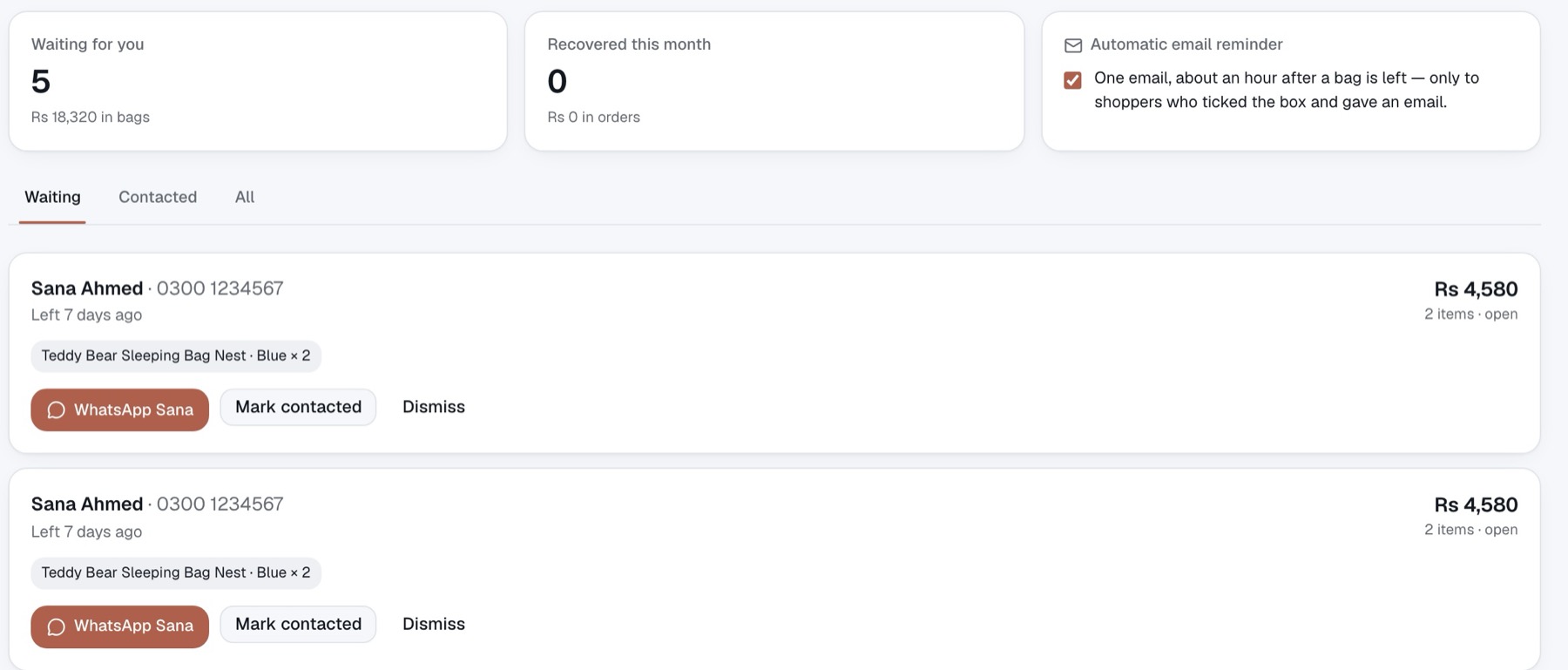
    The list of shoppers who left without ordering: with the value of their bags and a WhatsApp button for each
  2. Low risk

    Spot the order that will be refused at the door

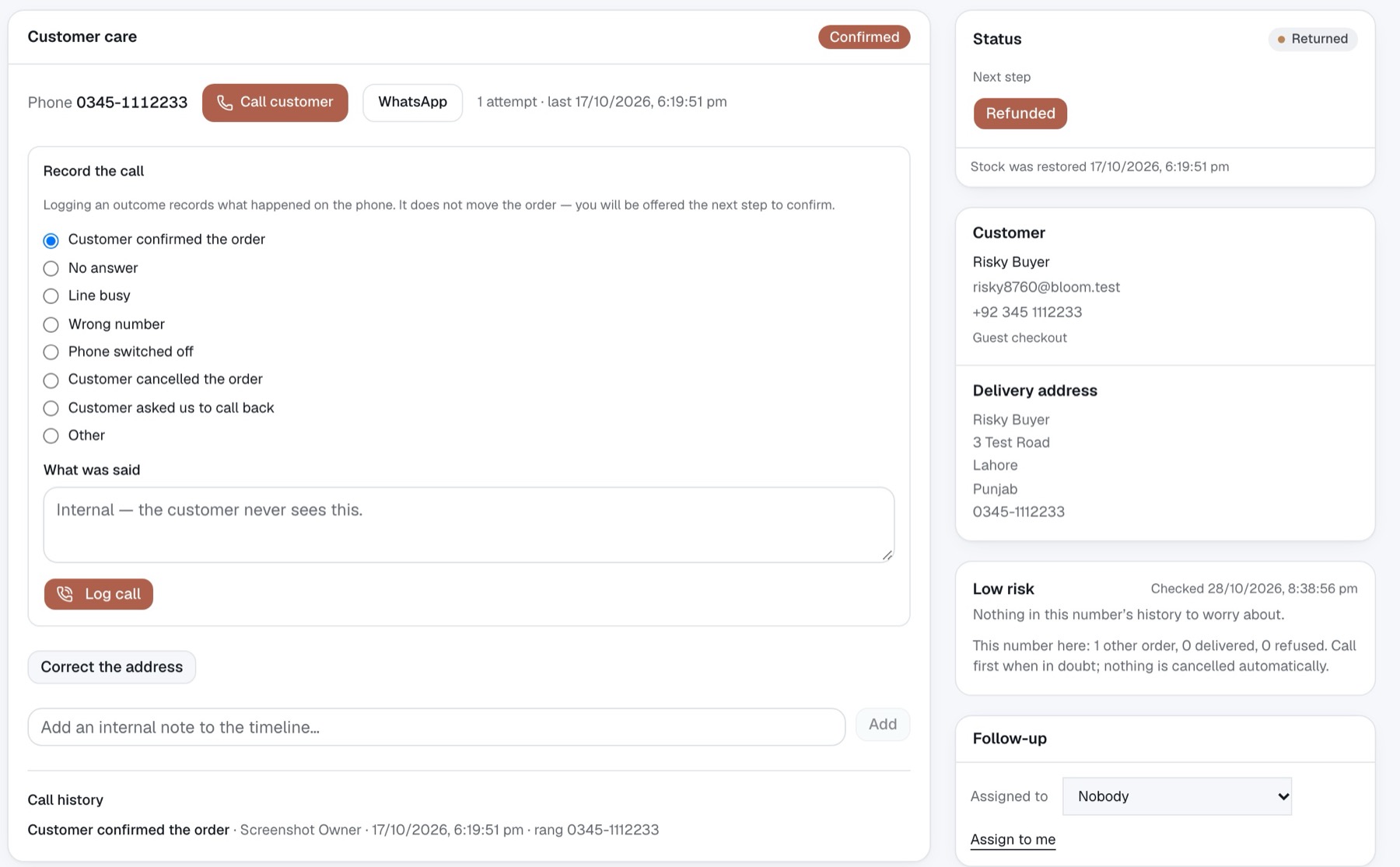
    Before you spend a call or a courier fee, every order is checked against what its phone number did before: in your shop, and across other shops on NexCarrito. You see the reason, and you decide. Nothing is cancelled for you.

    • Low, medium or high risk, with the history behind it
    • Risky orders go to the top of the call list
    • Repeat refusers stand out before the parcel leaves
    An order page: the call notes on the left, and a “Low risk” check on the right explaining the number’s history
  3. Confirmed by call

    Every order confirmed by a call, and every call written down

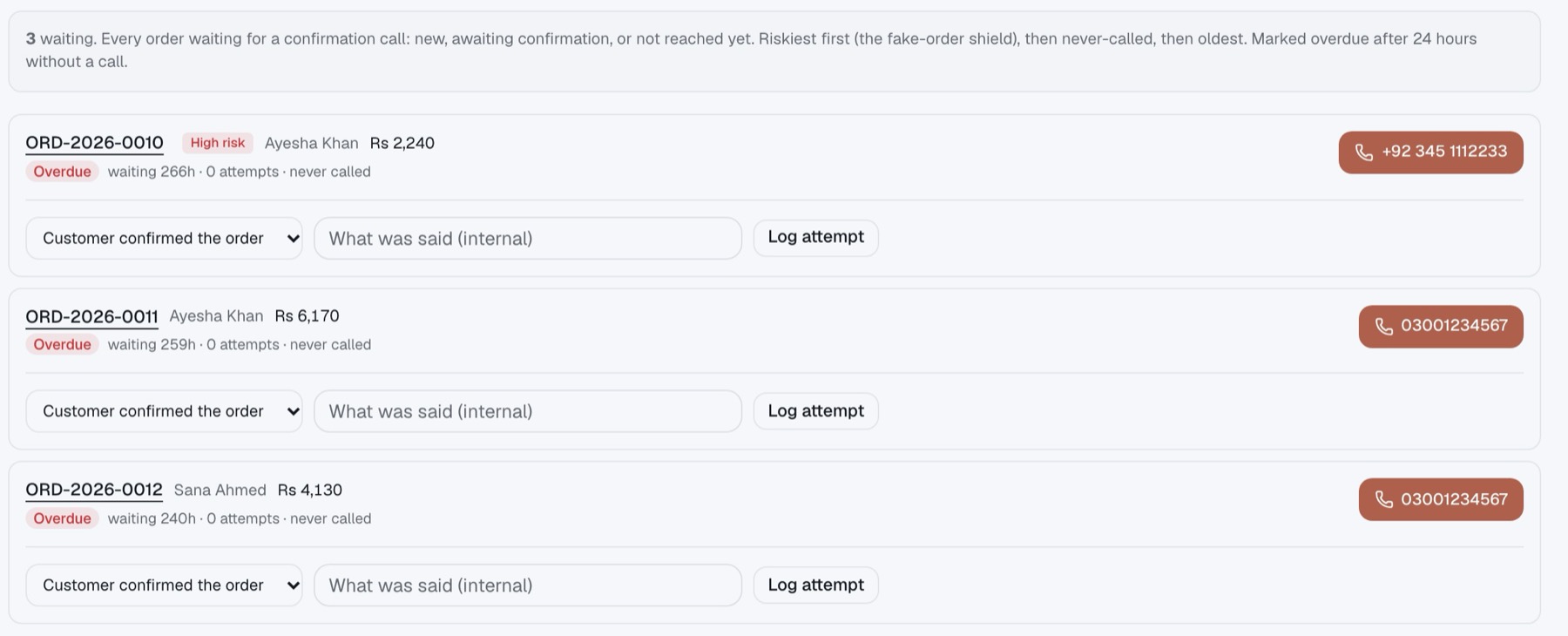
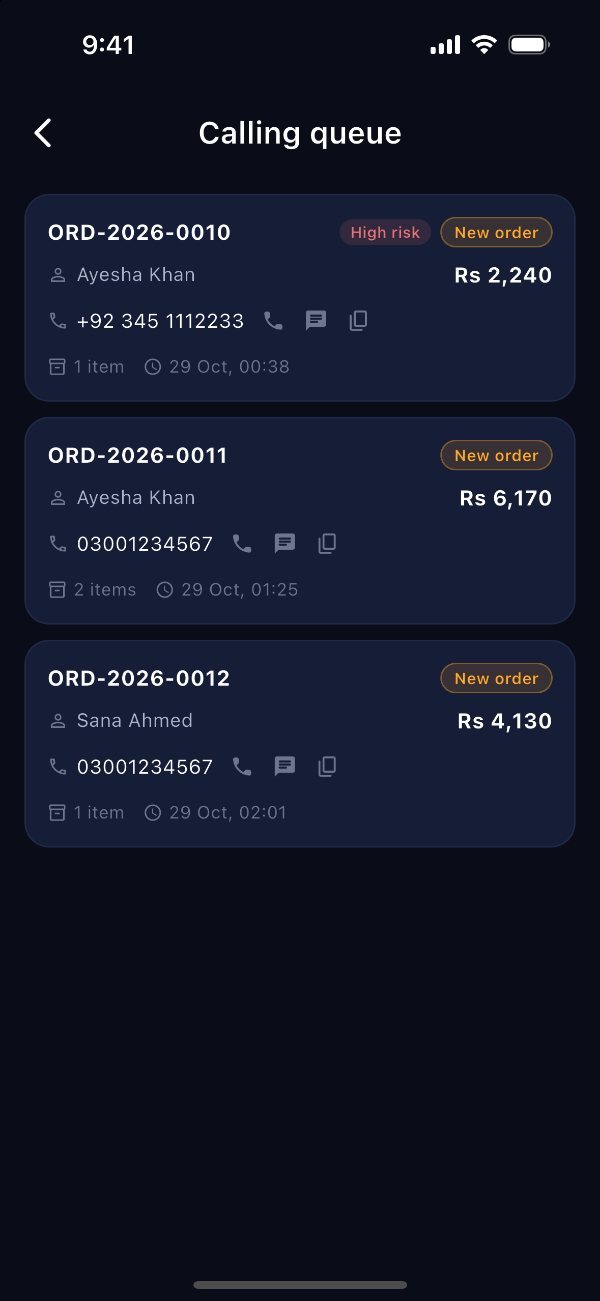
    Your team works through one call list, riskiest orders first, with late ones marked. Each call is noted with what was said, so nobody calls the same customer twice or forgets the one who asked for a call back.

    “Hi, this is Loom & Co. You ordered a linen shirt from us last night, I’m just calling to confirm it.”

    The call your team makes dozens of times a day, now with a place to write down how it went.
    • Tap to call or WhatsApp from the team phone app
    • Mark what happened: no answer, wrong number, or call back later
    • Orders paid online skip the call altogether
    The call list: three orders waiting, each marked late, with a call button and a box to note what happened
  4. Handed to courier

    Packed and handed over without retyping anything

    Print the invoice, the packing slip and the label straight from the order. Add the courier and tracking number, and your customer can follow the parcel from their own order page.

    • Invoice, packing slip and label from one order, or many at once
    • Stock comes back by itself when an order is cancelled or returned
    • Customers can ask to cancel or return from their order page
  5. Delivered

    Delivered, and the customer can find you again

    A delivered order can ask for a review, and the customer can reorder from their account. Your sales and best sellers update as orders arrive, so you can see what is working.

    • Reviews you approve before they go live
    • Customer accounts with reorder in one tap
    • Daily sales, orders and best sellers
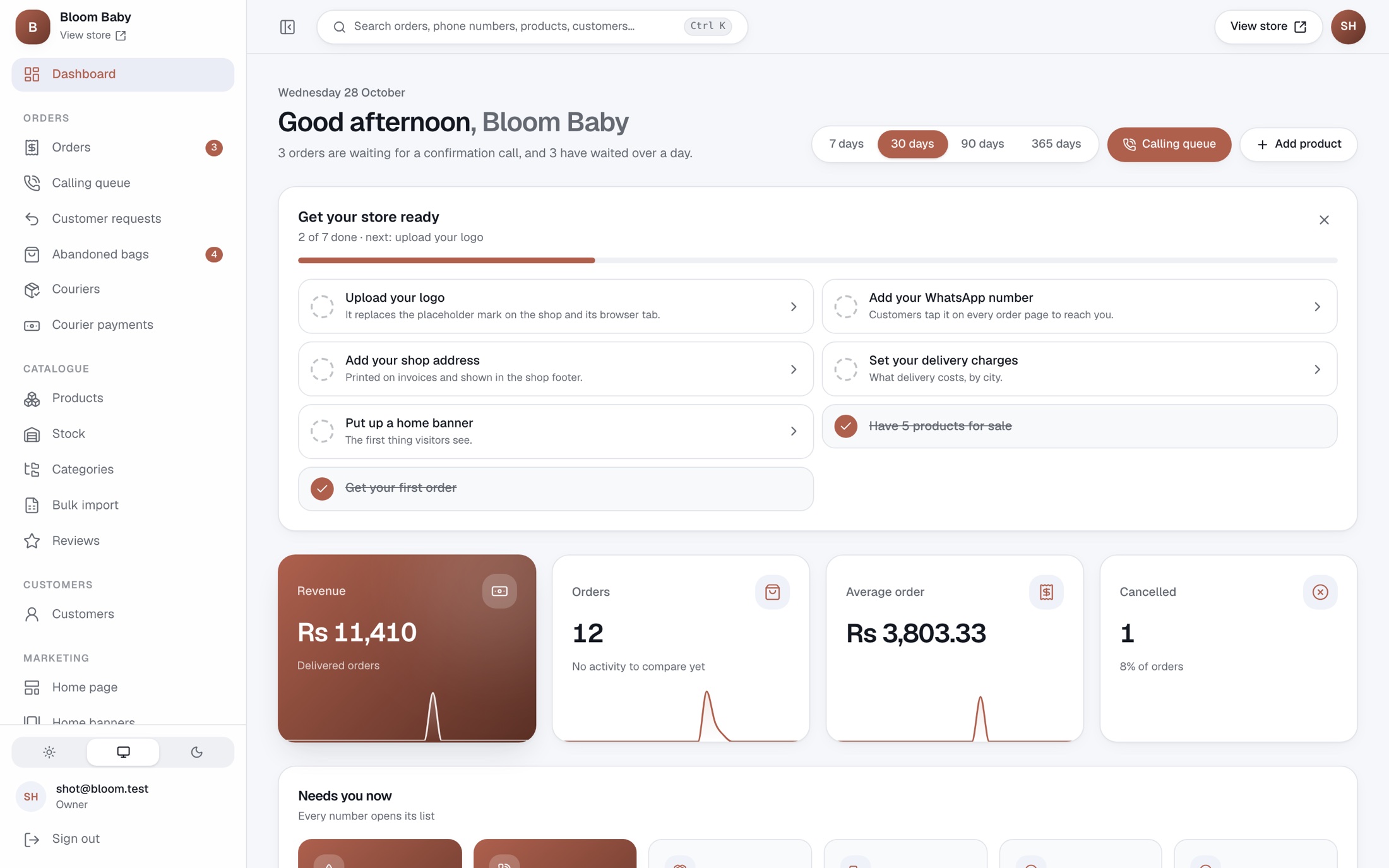
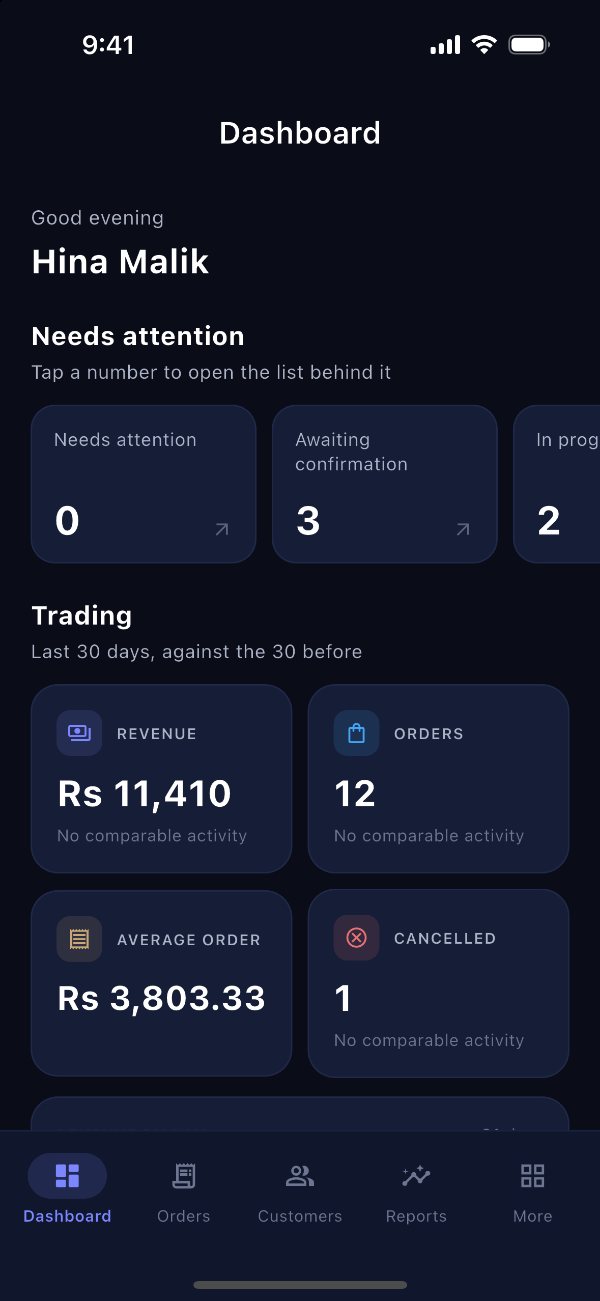
    The main screen: sales, orders and average order for the last 30 days, with what needs attention today
  6. Cash received

    Know which courier still owes you money

    Upload the payment report your courier sends you. NexCarrito checks it against your delivered orders and shows what each courier has paid, what it still owes, and the oldest parcel still unpaid.

    • Works with the spreadsheet your courier already sends
    • Any missing amount is shown, parcel by parcel
    • No more adding up cash on delivery by hand
    Courier payments: what each courier owes, and the payments received

The messages every COD seller knows

Real days in a cash-on-delivery shop, and what NexCarrito does about each one.

  • This customer is ordering for the third time, and he refused the last two parcels.

    11:42 pm
    Risky customer warning

    His number’s history shows on the order before you ship: orders, deliveries and refusals.

  • The courier says they paid us, but the payment is 12,000 short.

    4:15 pm
    Courier money check

    Upload their report and every unpaid or short-paid parcel is listed, order by order.

  • The sale brought 200 orders overnight. How do we print all the labels?

    9:03 am
    Print many at once

    Select the orders and print labels, invoices and packing slips in one go.

  • The customer gave the wrong address. The parcel is not out yet.

    1:20 pm
    Address correction

    Fix it on the order. The change is recorded in the order’s history, so nobody wonders later.

  • Where is my order? (the same customer, for the tenth time)

    6:48 pm
    Order page for customers

    Customers check their order themselves, and ask to cancel or return from the same page.

  • Our caller has left. Who did she call, and what did they say?

    10:10 am
    Call notes and history

    Every call, what happened and every note stays on the order, and you can see who changed what, and when.

  • Someone filled the bag at 2 am and closed the page.

    2:07 am
    Shoppers who left

    If she ticked “remind me”, she is waiting in your list with one WhatsApp button.

  • Three customers paid by bank transfer. Who sent which receipt?

    12:30 pm
    Bank transfer receipts

    Receipts arrive in one list beside their orders, for you to approve or refuse.

And the rest of running a shop

Discount codes and sales
Codes with a limit and an end date, a sale message across the top of your shop, and banners that start and stop by themselves.
Your products on social media
Your products, prices and stock, kept up to date in your Facebook and Instagram shops, TikTok and Google.
Your team, each with their own access
Give the caller, the packer and the accountant only what they need, and see who changed what.
Add products from Excel
Bring all your products from an Excel sheet in one go, with sizes and colours, prices and stock.
Your own web address
Start on yourshop.nexevol.com, and move to your own address, like yourshop.com, when you are ready.
Sales reports
Sales, orders and best sellers, and how many orders were delivered, returned or cancelled, compared with the time before.

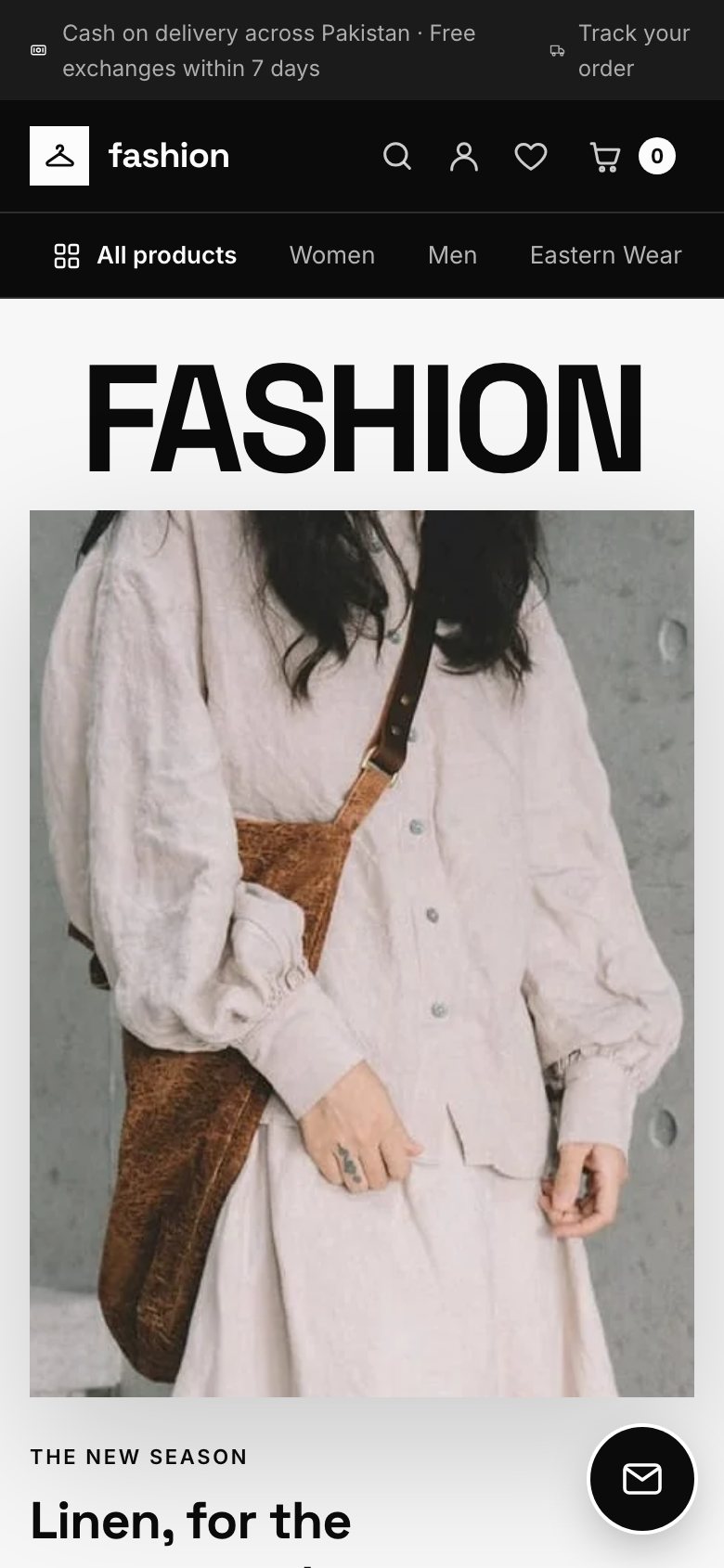
A shop that looks like your trade

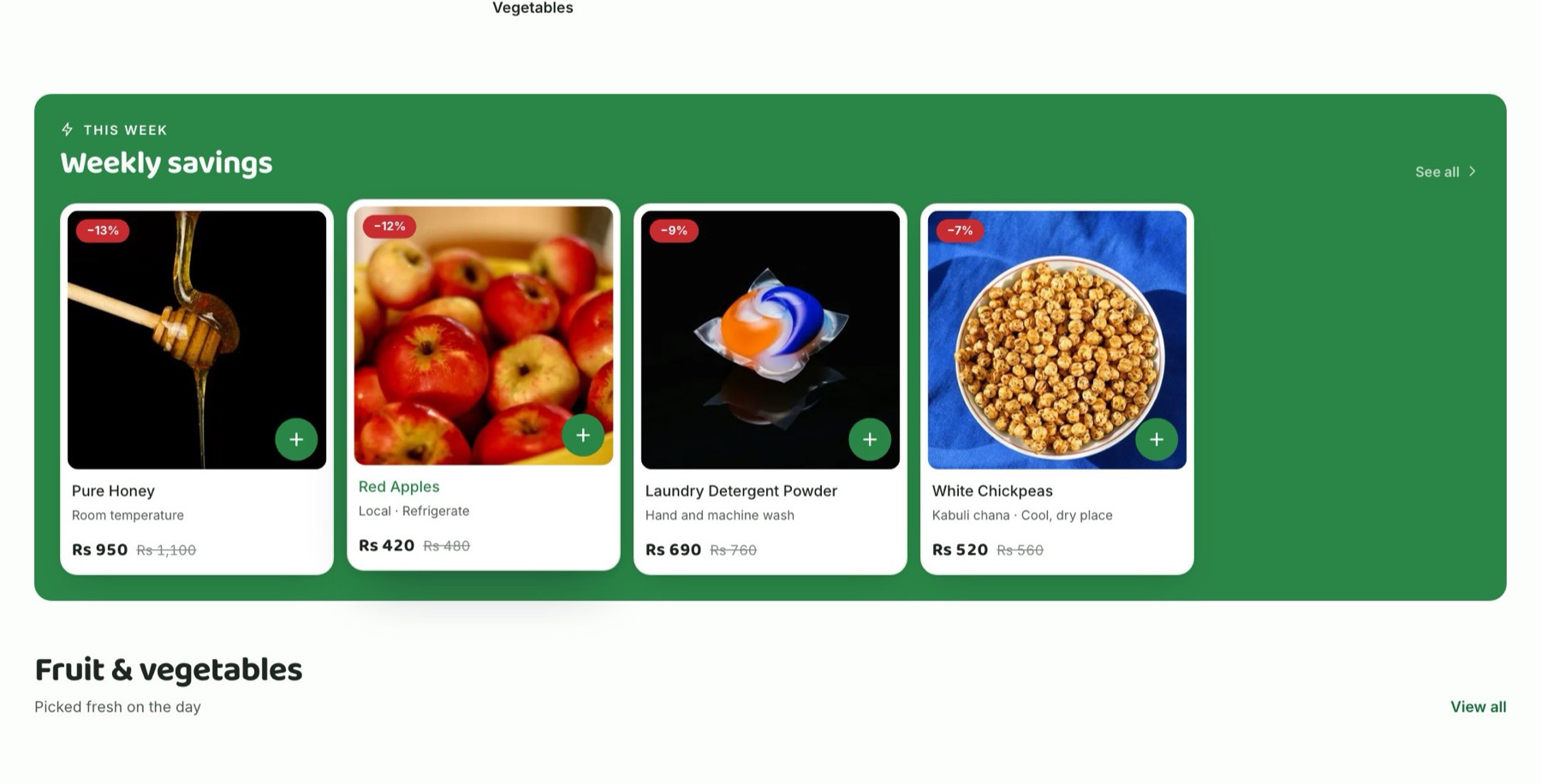
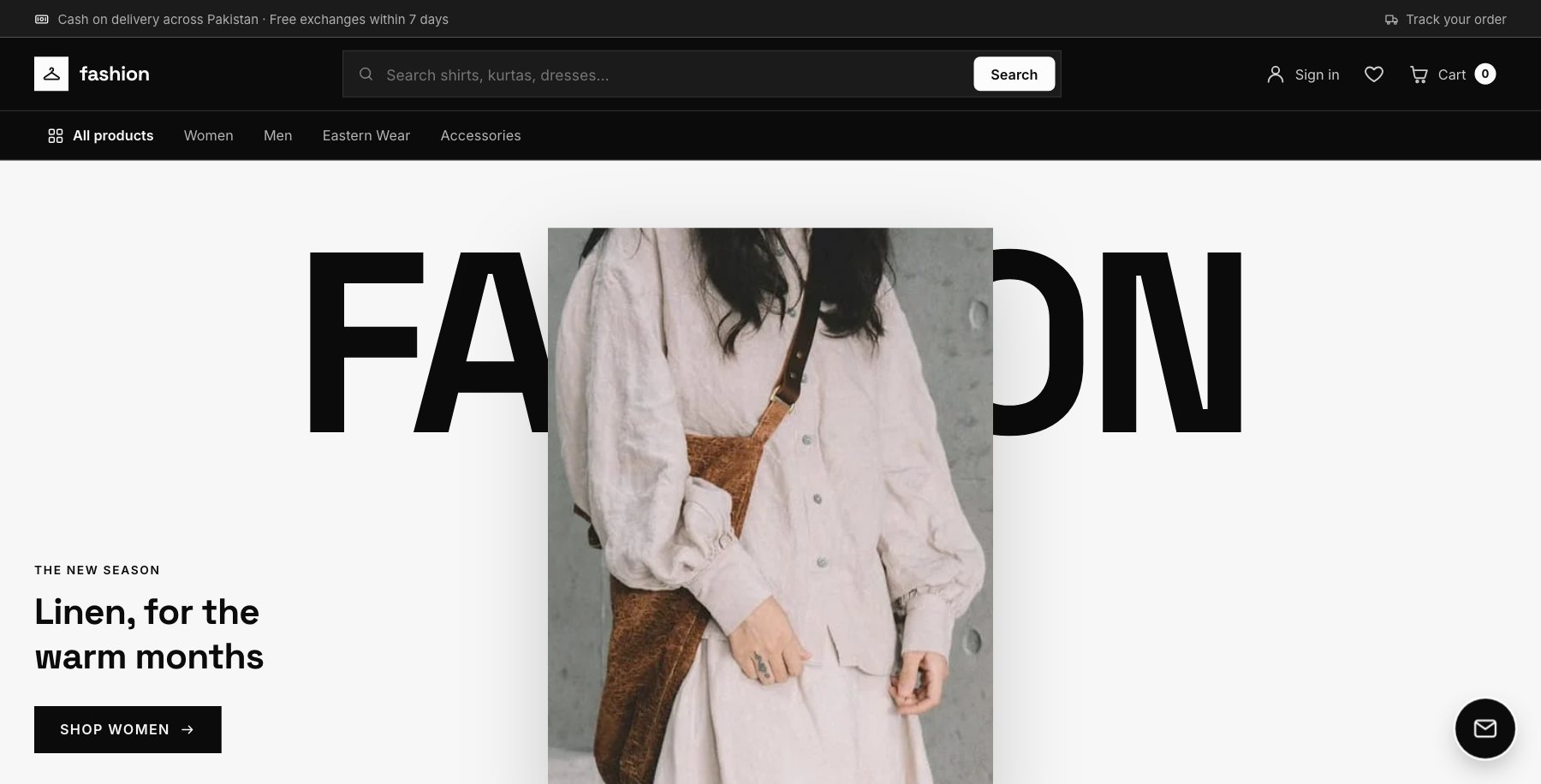
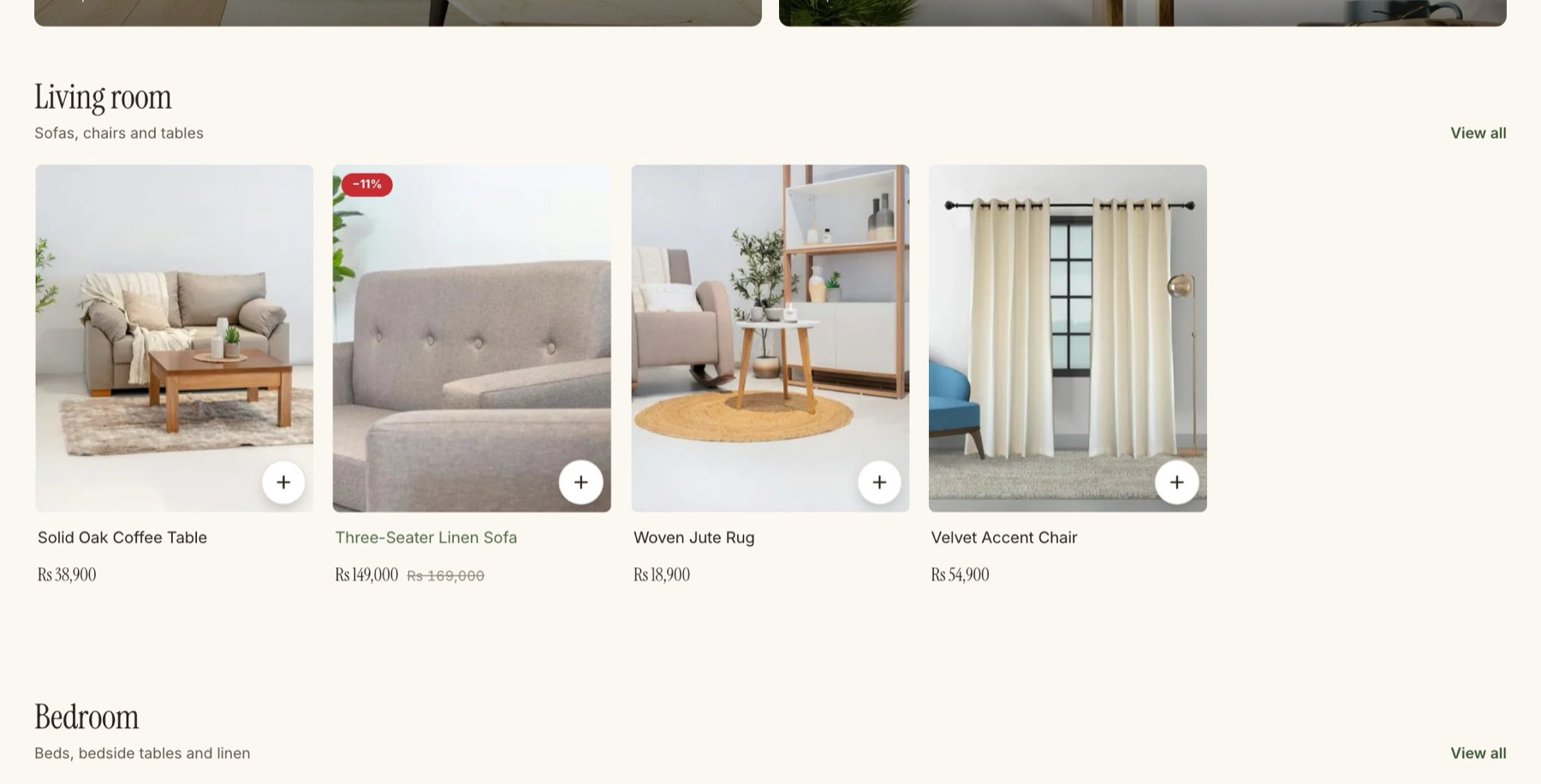
Seven ready-made designs, one for each kind of shop: fashion, beauty, grocery, home and furniture, electronics, mobile accessories, and baby and kids. Each has its own home page and its own way of showing products. Your logo, colours, fonts and photos go on top, with a polished, premium look.

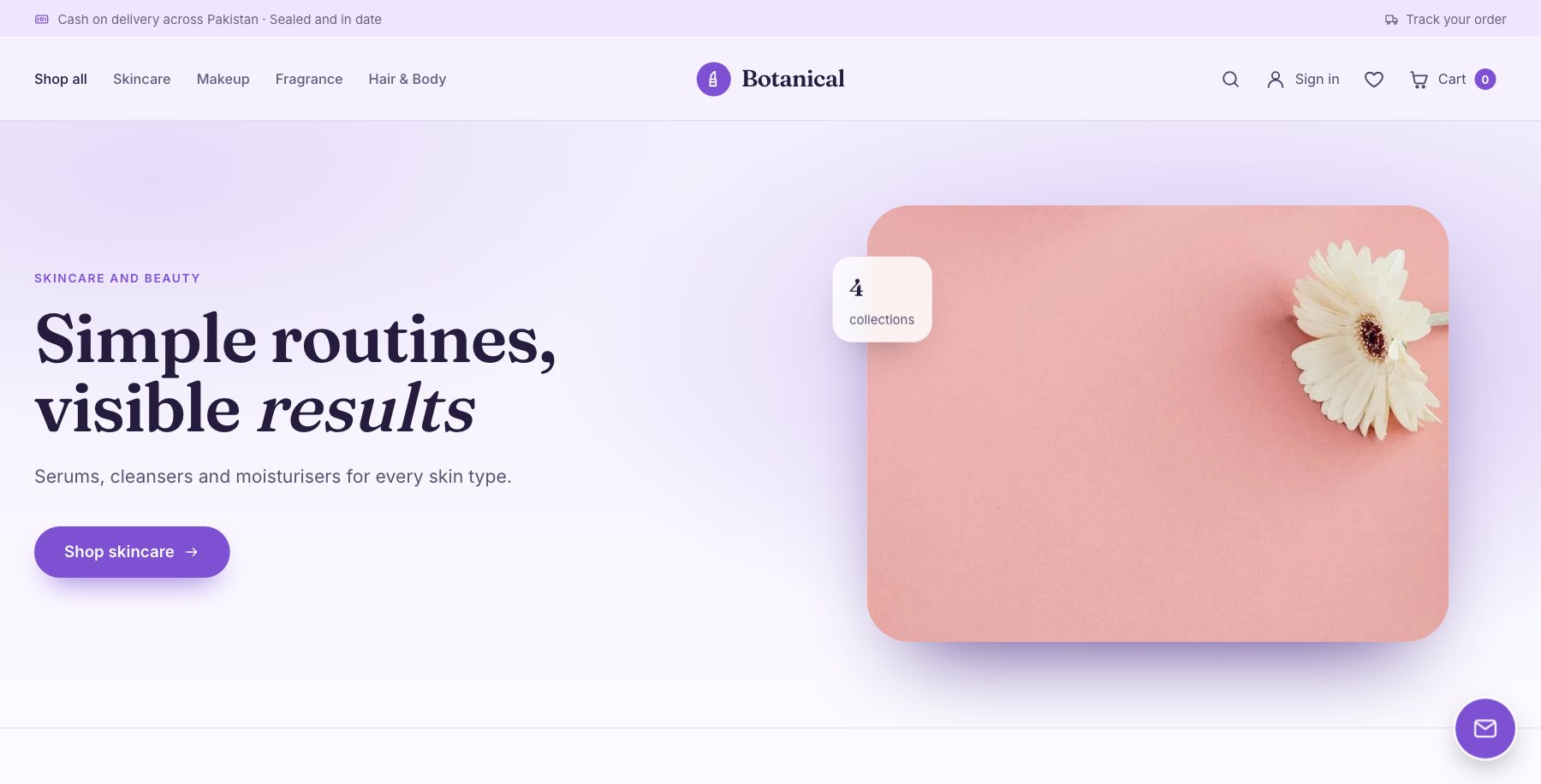
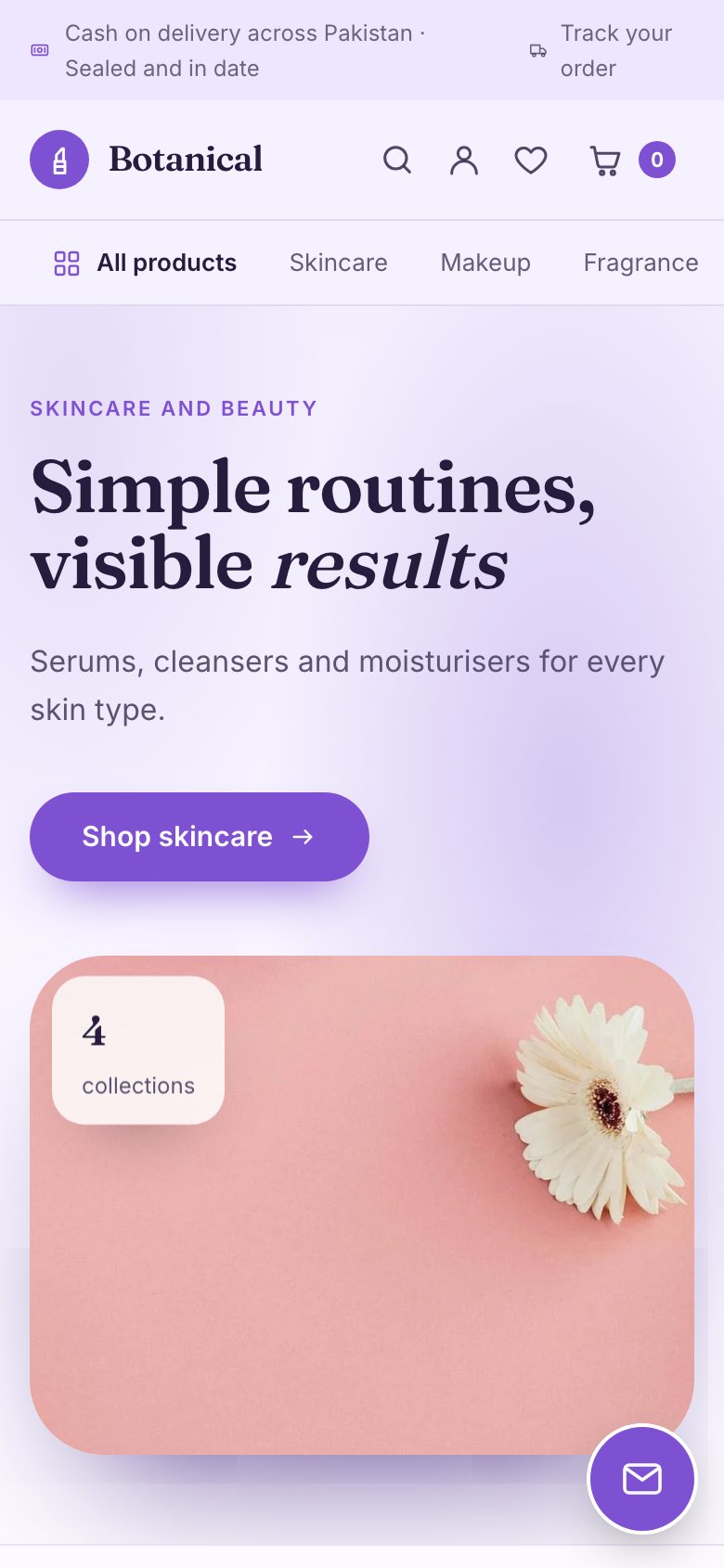
A beauty shop home page made with NexCarrito
A beauty shop home page made with NexCarrito, on a phone

Beauty Soft Glow: a lavender wash, italic accents and your real ratings, for skincare and make-up.

The shop in your team’s pocket

The Android app for your team rings when an order comes in. Your callers work through the call list with one tap to call or WhatsApp, log what the customer said, and move the order on, from anywhere.

  • A new-order alert on every team phone
  • Times shown in your shop’s time zone
  • Each person sees only what you allow

Why not Shopify, WooCommerce or a marketplace?

All three are good at what they were built for. None of them was built around a parcel that is paid for at the door.

What mattersNexCarritoShopifyWooCommerceMarketplaces (Daraz, Amazon, Noon)
What you payA fixed monthly price in your currencyFrom $39 a month, in dollarsYou pay separately for hosting, design and add-onsA commission on every sale
Your own shop and customer listYesYesYesNo. You sell next to competitors, to the marketplace’s customers
Confirmation calls, with notesIncludedPaid add-onPaid add-onNot in your hands
Warning on customers who refuse parcelsIncludedPaid add-onPaid add-onNot in your hands
Checking courier money against your ordersIncludedBy handBy handThe marketplace pays you out
JazzCash and EasypaisaIncluded, paid into your own accountAdd-on from another companyAdd-on from another companyTheir own checkout
Who sets it upWe do, with youYouYou or a developerYou, in their seller centre

Checked in October 2026, for each platform on its own. Add-ons can bring some of these to Shopify and WooCommerce, usually for an extra monthly fee. Shopify’s price is its Basic plan billed monthly. Marketplace commissions vary by marketplace and category.

One monthly price. No share of your sales.

Starter

For a shop moving off Instagram and WhatsApp

Ask on WhatsApp

  • Up to 100 products
  • Up to 300 orders a month
  • 2 team members can log in
  • Your own shop website, ready to use (yourshop.nexevol.com)
  • Warning on customers who often refuse parcels
  • A call list to confirm every order
  • Cash on delivery and bank transfer
  • Remind shoppers who left without ordering
  • Customer reviews, and customers can log in and reorder
Start with Starter

Most shops choose this

Growth

For a shop with a team and a courier

Ask on WhatsApp

  • Up to 1,000 products
  • Up to 3,000 orders a month
  • 5 team members can log in
  • Everything in Starter
  • See which courier still owes you money
  • JazzCash and Easypaisa payments (Pakistan)
  • Your team’s phones ring for every new order
  • Use your own web address, like yourshop.com
  • Discount codes, sale offers and banners
  • Your products shown in your Facebook, Instagram, TikTok and Google shops
  • Add all your products at once from an Excel sheet
  • Sales reports, and more than one branch
Start with Growth

Pro

For a shop that has outgrown limits

Ask on WhatsApp

  • Unlimited products
  • Unlimited orders
  • Unlimited team members
  • Everything in Growth
  • Video on your home page
Start with Pro

The warning on risky customers and the call list come with every plan.

From first message to first order

  1. Message us on WhatsApp

    Tell us what you sell and how you take orders today. On a call, we show you the shop and the screen where you manage your orders.

  2. We set up your shop

    Your name, colours, products and delivery charges, on yourshop.nexevol.com. You get a link to set your password.

  3. Share the link and take orders

    Put it in your Instagram bio and WhatsApp status. Orders land in your call list the same minute.

Questions sellers ask us

Do I need a developer or a designer?

No. We set up your shop from the style made for your trade, with your name, colours and products. After that you change banners, prices and stock yourself, from your control panel or the team app.

Can I use my own web address, like yourshop.com?

Yes, on Growth and Pro. Every shop starts on yourshop.nexevol.com, and moves to your own address once it is connected.

How do my customers pay?

Cash on delivery by default. You can also accept bank transfers, where the customer uploads a receipt, and in Pakistan JazzCash and Easypaisa on Growth and Pro, paid straight into your own JazzCash or Easypaisa business account. Orders paid online skip the confirmation call.

Which countries do you work in?

Any country where shoppers pay on delivery. Your shop works in your currency and time zone, and we bill you in your currency.

Which couriers does it work with?

Any courier you already use. Add the courier and tracking number to the order, and upload the payment report the courier sends you to see what has been paid and what is still owed.

Is there an app for my team?

Yes, an Android app for you and your team: new orders, the call list with one tap to call or WhatsApp, order status, customers and reviews.

What if I outgrow my plan?

Move up at any time. Your shop, orders and customers stay exactly as they are.

Can I take my data with me?

Yes. Your products, orders and customers are yours, and we can give you a copy of them.
Ship fewer parcels that come back.